The AUTO.MOTO React Native app: the road to the stores
In under three months we built the auto.moto.pt React Native app for iPhone and Android, with a new design. The hard part was not the screens.
The auto.moto.pt(opens in a new tab) marketplace has had a website for years. In August 2026 we started its app for iPhone and Android, and in October we prepared version 1.0.0 to publish on the App Store and Google Play. This is what it took, and what we would tell anyone about to do the same.
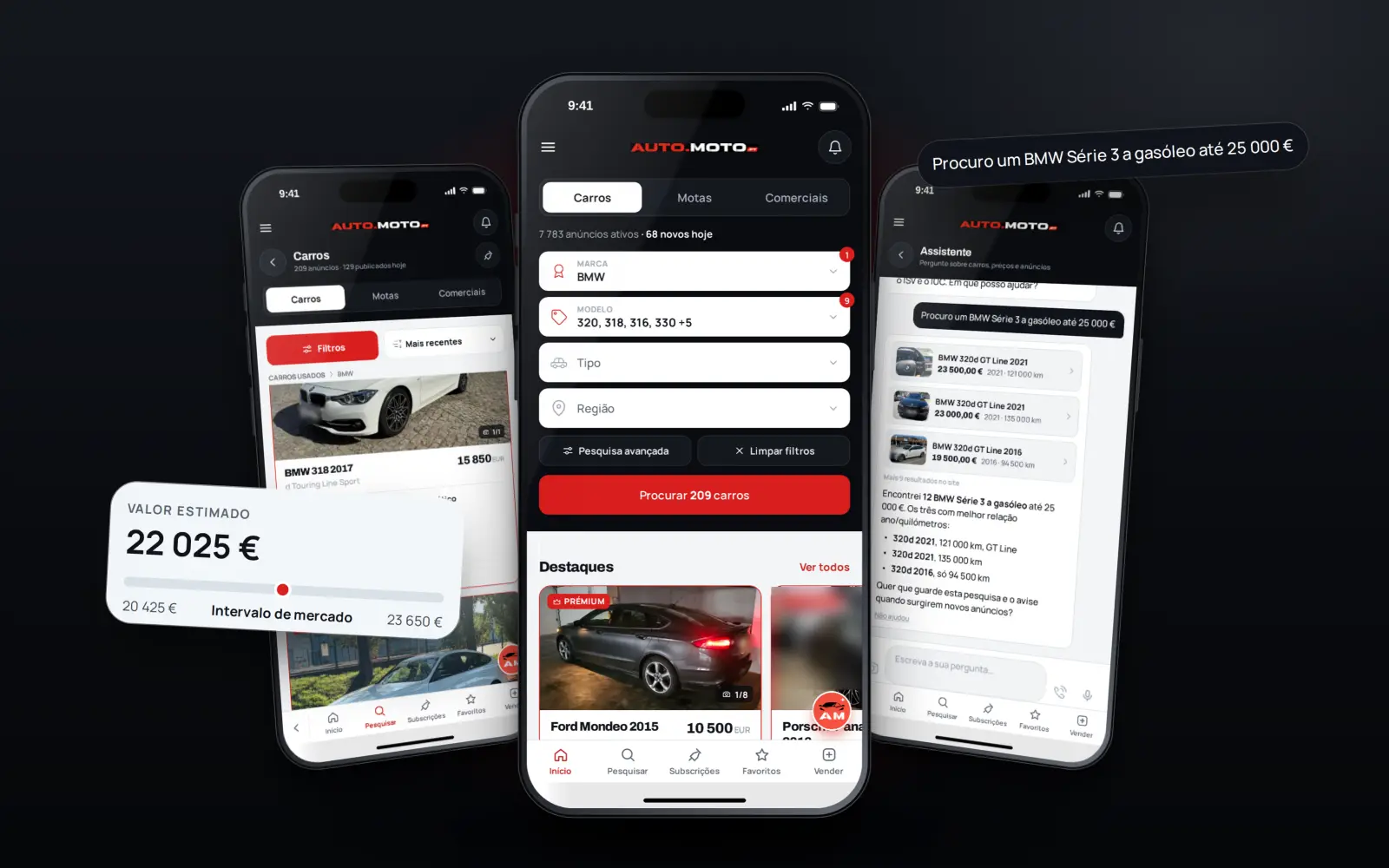
The app is native, built with React Native and Expo (SDK 54) in TypeScript, from one codebase for both platforms. It talks to the same API as the website, so an advert, a chat or a saved search is the same thing everywhere. From the first commit on 2 August to 24 October: 408 commits, about 90,000 lines of code and 417 test files.
Native, not a website in a frame
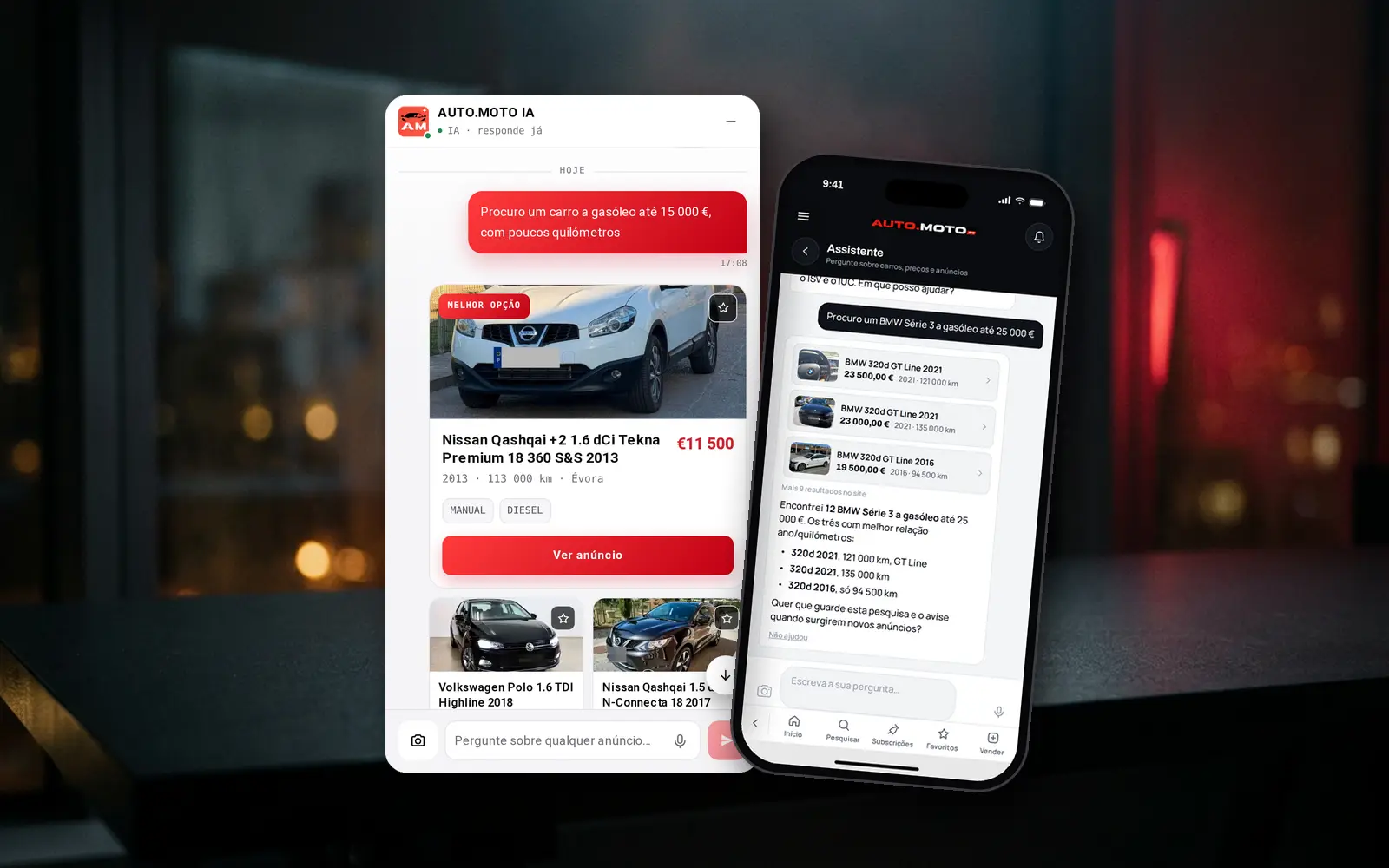
Search, filters, adverts, chat with offers and trade-ins, notifications, saved searches, the seller's own area, the ISV and IUC calculators, number plate hiding and the AI assistant are native screens. A web page is embedded in only two places: the payment provider's step and the captcha.
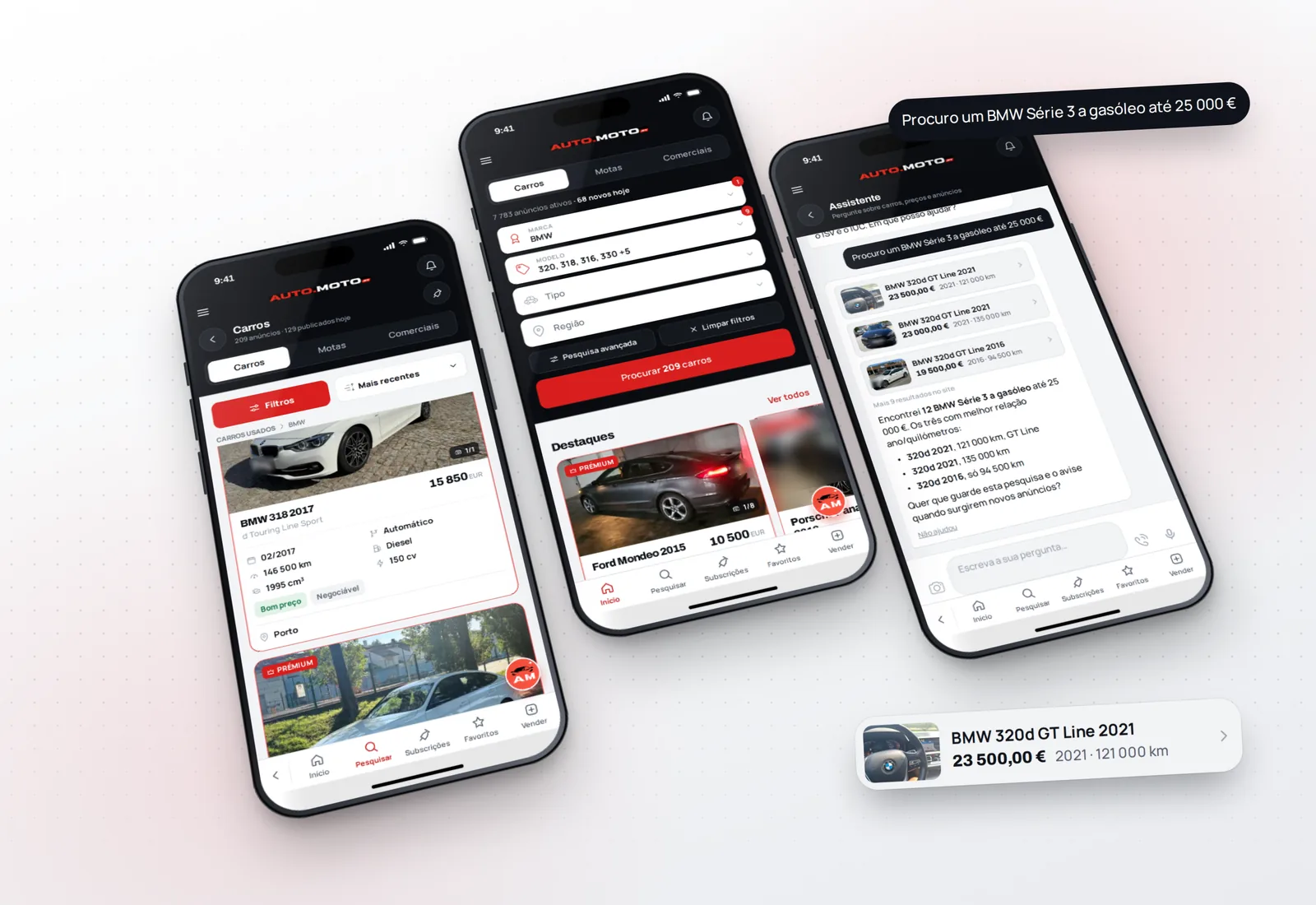
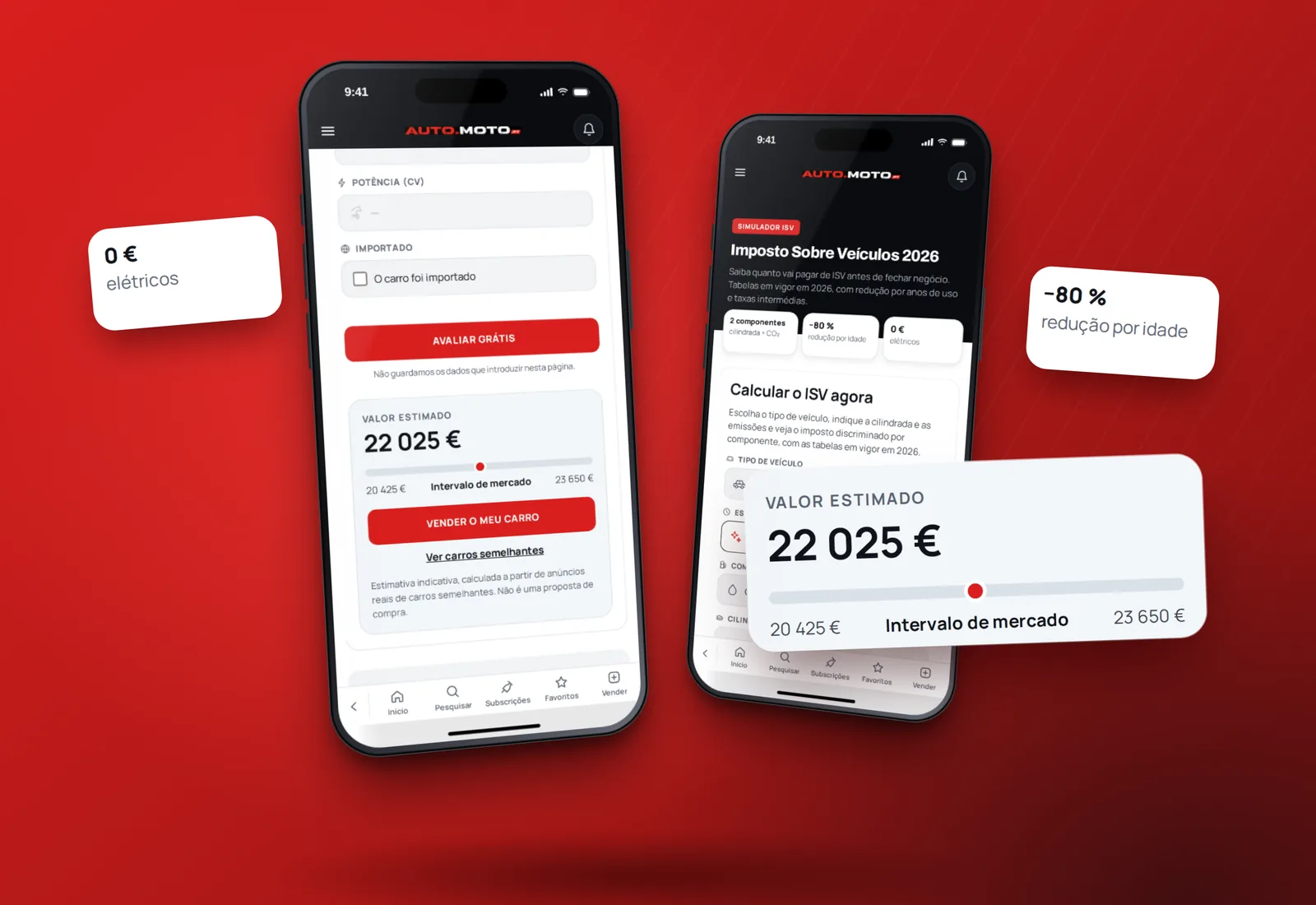
Native also means the numbers must match the website. The first valuation screen in the app used one price source while the site averaged two, and its figures came out 22 to 30 percent higher. Both screens now call the same valuation as the website, with the same required fields. Lesson: a number shown in two places must come from one place.
A new design halfway through
At the end of September, with most screens working, the app got a new design: a dark home screen, the Manrope and Archivo typefaces, colours shared by the light and dark themes, one header for every screen and a reorganised menu. We changed it screen by screen, with tests for what a design change can silently break: the order of the filter fields, which fields are required, what each button opens.
Problems that only show up on a phone
Testers run the build they installed, not the one we just made. There are no over-the-air updates in testing, so the code a tester runs is exactly the code in that build. In September three complaints in a row were about bugs already fixed in newer builds. Now the first step on any complaint is to check which build that person has and whether it contains the fix.
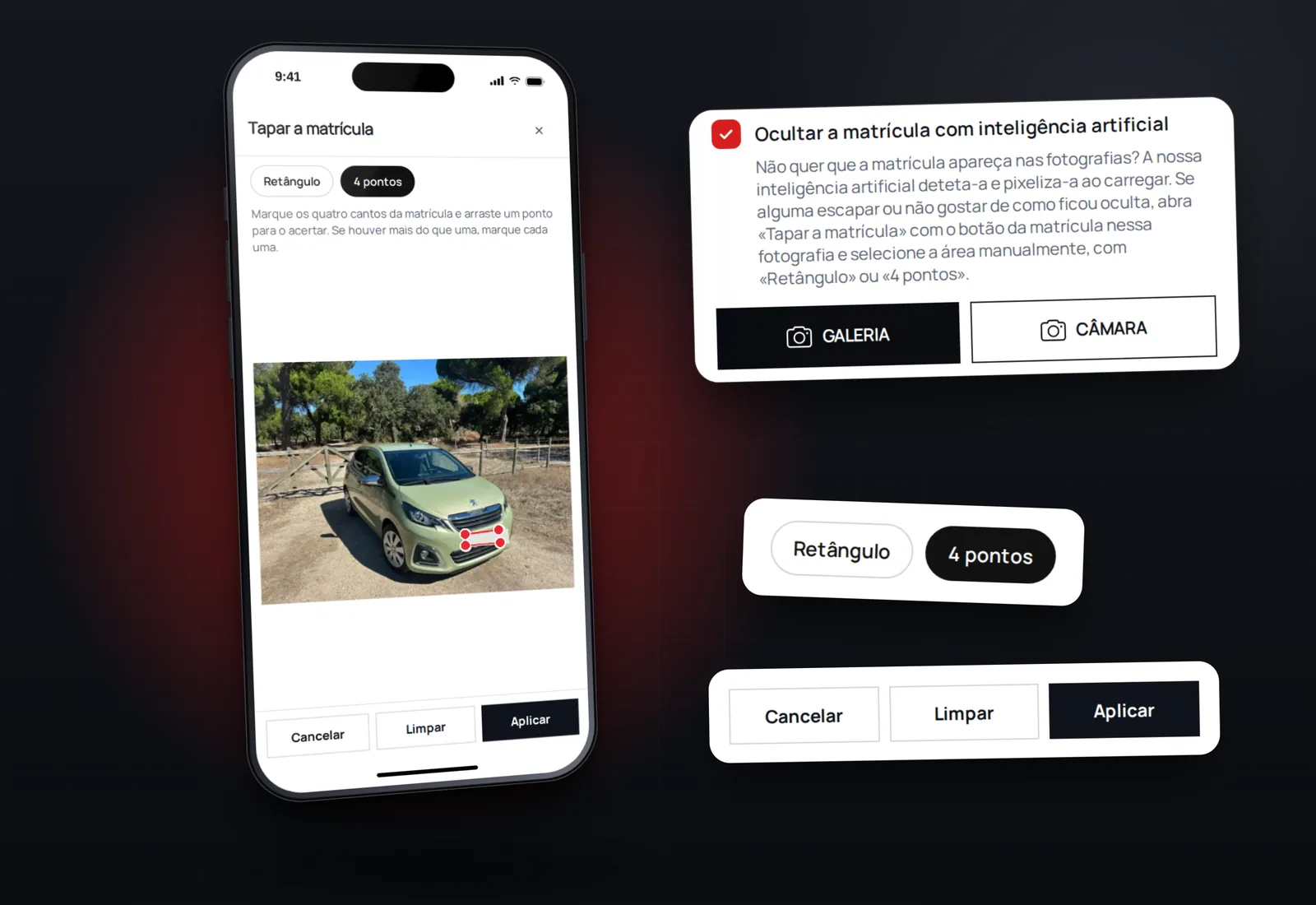
Green tests are not a working screen. The production build runs the React Compiler, the tests did not, and the window for hiding the number plate on a photo passed every test but crashed the moment it opened in the app. New screens are now opened in a web render before each build, and that window's test runs through the compiler, as the app does.
Audio is a session, not a file. After recording an audio message on iOS, the app stayed in recording mode, and every message, including your own preview, played quietly through the earpiece, like a whisper. The fix was to return the audio session to playback after each recording.
Networks drop. The screen of a chat survived a lost connection, the list of chats did not, and messages delivered during the gap appeared only after a manual refresh. The list now reads itself again on reconnect and when the app comes back from the background. Photos upload one by one, so a weak signal loses one photo, not the whole set, the same rule as in a workshop booking form.
What the App Store review guidelines ask for
Apple's rules decided more of the work than any screen. We read them before submitting, and a second review of the iOS build, done with the eyes of an Apple reviewer, still found a few more things to fix.
Payments. Paid features are bought on the website, outside Apple's purchase system, and under Apple's rules an iOS app may not simply send people there either. On iOS the payment screens, prices and packages are hidden, a screenshot of the website's account page with a purchase button was removed, and the AI assistant works in a mode that never quotes the prices of our services. What was already bought on the website stays visible.
Content from users. A marketplace with chat must let people report and block. The app gained «Denunciar anúncio» with reasons and a note, blocking a user from the chat or the seller's page, and a list of blocked users in the settings. Reports go to a queue in our back office, and our commitment to Apple is to review them within 24 hours.
Accounts. Whoever can create an account in the app must be able to delete it there too. Sign in with Apple sits beside Google and Facebook, and deleting the account also revokes Apple's sign-in token. The buttons in these flows are labelled for VoiceOver and have touch targets of at least 44 points.
What Google Play asks for
On Android the surprise came from permissions we never asked for. An audio library and the build template added permissions for background media playback, a foreground service and drawing over other apps. Google Play asks for a written declaration and a video for background playback, and the app has no such feature. We blocked those permissions and the advertising ID, which the app does not use, and tests fail if any of them comes back.
Two more things worth knowing. Notifications on Android need the Firebase configuration inside the build, and until it was added the Android test builds received none. And the key that signs the first upload to Google Play is hard to replace later, so it is created once and kept safe.
Builds cost money, testers' time costs more
Production builds are paid. More importantly, every build is something a tester has to install. So fixes travel in batches: the tester hands over several requests at once, and they ship together in one build once each has passed review.
Where we are
At the time of writing, version 1.0.0 is not yet in the App Store or on Google Play; when it is, we will add the links here. The same assistant you find on the website is in the app; we wrote about how we taught it.
If you are planning a React Native app on top of a website or system you already have, this is the work we do in mobile app development.